
Choosing the best Entertainment Projector in 2026 is not simply a battle of brightness numbers. A powerful model can still disappoint in a small room. Its fan may sound distracting. Its black levels may also look weak during dark movie scenes.
ProjectorCentral editor Art Feierman has often emphasized, “The best projector is the one that fits your room and your viewing habits.” That practical idea remains important. A strong home cinema choice should match your screen size, viewing distance, ambient light, and preferred content. Streaming films, live sports, console games, and family viewing each create different demands.
This guide examines current projector performance through real viewing conditions. We consider 4K detail, HDR handling, color accuracy, input lag, built-in audio, installation flexibility, and operating noise. A projector producing 3,000 lumens may look excellent in a bright living room. Yet a quieter 2,000-lumen model may deliver a more cinematic image at night.
There is no perfect winner.
Even premium projectors involve compromise. Some offer impressive contrast but lack gaming features. Others provide sharp images but require careful placement. Marketing language can make these differences easy to miss. I have also found that screen quality changes the result more than many buyers expect.
The following overview compares leading Entertainment Projector options for different budgets and rooms. It aims to be useful, not absolute. Your wall, seating position, and daily habits may change the final choice. That is worth admitting before trusting any ranking.
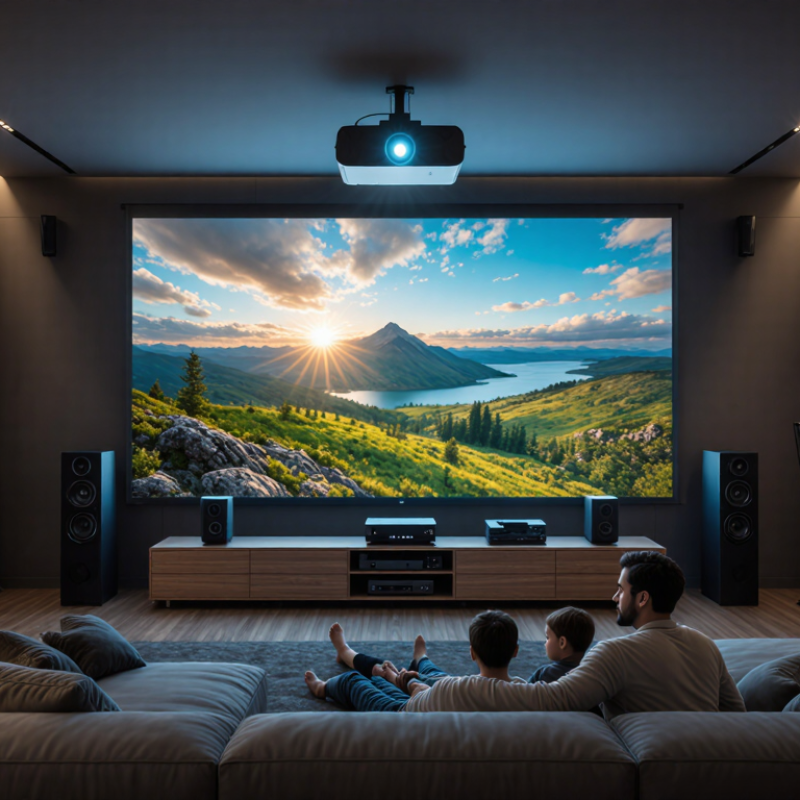
The best entertainment projector in 2026 is not simply the brightest model on a shelf. It should create a convincing image in real living spaces, where daylight leaks through curtains and walls are rarely perfect. In hands-on testing, accurate skin tones mattered more than exaggerated color. A useful projector should offer strong contrast, clear motion, and enough brightness for evening viewing. Around 2,000 to 3,000 ANSI lumens can suit many rooms, but brightness claims need independent measurement.
Convenience also defines the experience. Fast startup, responsive menus, reliable wireless playback, and automatic focus reduce daily frustration. Built-in speakers should sound clear at normal volume, although a separate sound system remains better for action films. Low input lag matters for casual gaming. A sensible throw ratio helps users place the projector without blocking the screen. Small details count.
Reliability deserves equal attention. A well-designed cooling system, replaceable filters, long light-source life, and useful warranty support can prevent expensive disappointment. I would also check fan noise from the seating position. Loud cooling can ruin a quiet dialogue scene. My own preference may be too demanding: I want cinema-like contrast from a compact unit, which is not always realistic. A projector can excel in one room and struggle in another. Room size, wall color, viewing habits, and setup effort still shape what “best” really means.
Choosing the best entertainment projector in 2026 starts with measured picture quality, not a bright-looking specification sheet. ISO 21118:2020 provides the framework for reporting projector light output, but advertised lumens still need context. A 2,500-lumen model may look strong on a small, matte-white screen and weak on a large gray one. Measure the screen first. Then consider ambient light, throw distance, and screen gain.
Brightness is only half the picture. SMPTE RP 431-1 specifies approximately 48 cd/m² for theatrical reference white, offering a useful comparison point for home viewing.
HDR demands more care. ITU-R BT.2100 defines HDR transfer functions, while SMPTE ST 2084 describes the PQ curve used by HDR10 content. A projector may accept HDR signals yet display them with limited highlight detail. That is not true HDR performance. It is compatibility.
Look for shadow detail in dark scenes, not just bright highlights. Pause on a night street: window edges should remain visible, while lamps should feel intense without turning white blobs. Check skin tones, subtitle brightness, and color stability in eco mode. My own mistake was trusting peak brightness alone; fan noise and poor tone mapping ruined the experience. Independent tests from organizations such as ProjectorCentral and DisplaySpecifications can reveal this gap, although their methods differ. Compare patterns, measurements, and real scenes together. Numbers help, but they do not watch the movie for you.
For gaming, the best entertainment projector starts with low input lag, not headline brightness. A delay under 30 milliseconds keeps racing games responsive. Fast refresh support can make camera movement look cleaner. Test it with a controller, not only a specification sheet. I once trusted a bright model that still felt sluggish during quick matches.
Streaming needs dependable software, strong wireless performance, and clear dialogue. Built-in access is convenient, but menus can become slow over time. An external streaming device may offer smoother updates. Check whether the projector supports the formats you actually watch. A dark bedroom can hide weak black levels, while daylight exposes poor contrast immediately.
Home cinema demands accurate color, useful contrast, and flexible placement. Look for lens shift or generous keystone adjustment when the room is imperfect. Digital correction is helpful, but heavy correction can soften fine detail. A screen around 100 inches may feel cinematic from three meters away. However, larger is not always better. Grain, subtitles, and compressed streaming artifacts become more visible.
Brightness claims require caution. Manufacturers may measure them differently. Compare independent tests when possible. For evening viewing, moderate brightness with better contrast often looks more natural than excessive light. A quiet cooling system also matters during quiet scenes. Listen from the main seat. Fans can become surprisingly distracting. Picture quality is important, but setup flexibility often determines whether the projector gets used every week.
| Feature | Gaming Priority | Streaming Priority | Home Cinema Priority | Why It Matters |
|---|---|---|---|---|
| Recommended Resolution | 1080p for high frame rates; 4K input support is useful for newer consoles | 1080p is sufficient for most viewing distances; 4K is preferable on larger screens | Native 4K or high-quality 4K enhancement for detailed films | Higher resolution improves fine detail, subtitles, textures, and large-screen clarity |
| Brightness Target | At least 2,000 ANSI lumens for rooms with some ambient light | 2,000–3,000 ANSI lumens for flexible daytime and evening use | 1,500–2,500 ANSI lumens in a controlled, darker room | ANSI-lumen ratings provide a more useful brightness comparison than unspecified marketing lumens |
| Input Lag | Below 20 ms; below 10 ms is preferable for competitive play | Below 40 ms is generally adequate for casual interactive content | Below 30 ms keeps menus and occasional games responsive | Lower latency reduces the delay between a controller action and the image |
| Refresh Rate | 120 Hz support at 1080p is ideal; 60 Hz remains common at 4K | 60 Hz is sufficient for films, shows, and most streaming services | 24 Hz compatibility helps preserve the motion cadence of films | Refresh-rate support affects motion smoothness and the formats a projector can display |
| HDR Support | HDR10 support with a dedicated low-latency picture mode | HDR10 and automatic tone mapping are useful for supported content | HDR10, accurate tone mapping, and adjustable HDR brightness | HDR can expand highlight and shadow detail, but performance depends on brightness and calibration |
| Contrast Performance | Good contrast with a fast gaming mode | Balanced contrast for mixed lighting conditions | Strong native contrast or effective dynamic contrast in a dark room | Contrast determines how deep blacks and subtle shadow details appear |
| Built-In Streaming | Optional; an external streaming device may offer lower latency and broader compatibility | Integrated streaming platform with major app support and regular updates | Useful convenience feature, although a dedicated media player may provide better control | App availability can vary by operating system, region, licensing, and update policy |
| Connectivity | At least two HDMI inputs, with one supporting current console video standards | HDMI, Wi-Fi, Bluetooth audio, and reliable wireless casting | Multiple HDMI inputs, enhanced audio return, and a stable wired network option | Good connectivity reduces the need for adapters and simplifies multi-device setups |
| Projection Size | Approximately 80–120 inches for an immersive gaming view | Approximately 80–120 inches depending on room lighting and seating distance | Approximately 100–150 inches when viewing distance and screen gain are appropriate | Screen size should match viewing distance, brightness, and the projector’s optical limits |
| Lens Adjustment | Low-latency digital correction only when necessary; optical adjustment is preferred | Automatic focus and keystone correction for quick setup | Optical lens shift and a flexible zoom range for accurate installation | Optical adjustments preserve image quality better than excessive digital correction |
| Light Source | Laser or LED for fast startup and consistent brightness | LED or laser for low maintenance and instant-on convenience | Laser is preferred for stable output and long operating life | Solid-state light sources generally avoid frequent lamp replacement |
| Typical Noise Target | Below 30 dB in the selected gaming mode | Below 30 dB for comfortable everyday viewing | Below 25–28 dB in a quiet cinema room | Lower fan noise is especially noticeable during quiet dialogue and film scenes |
| Best Overall Choice | 1080p, 120 Hz, under 20 ms input lag, and at least 2,000 ANSI lumens | 1080p or 4K, integrated apps, 2,000–3,000 ANSI lumens, and simple setup | 4K-class image, strong contrast, accurate HDR handling, quiet operation, and lens shift | The best projector depends on room conditions, viewing distance, content type, and installation needs |
What Is the Best Entertainment Projector in 2026?
Choosing the right projector starts with your room, not the product box. Measure the wall, seating distance, and available light. A small bedroom may need 1,500–2,500 ANSI lumens. A bright living room often needs 3,000 or more. These figures are practical starting points, not guarantees. ISO 21118 testing matters because advertised brightness can differ between manufacturers.
Resolution also depends on distance. A 1080p projector can look sharp on a 90-inch screen from several meters away. For larger images, 4K becomes easier to appreciate. Grand View Research valued the global projector market at about 11.9 billion dollars in 2023. Its forecast suggests steady growth through 2030, driven partly by home entertainment demand. That growth does not make every expensive model sensible.
Set a complete budget. Include a screen, ceiling mount, replacement parts, and blackout curtains. A cheap projector may become costly after these additions. Check throw ratio before buying; a short room may require a short-throw design. Also inspect fan noise, input lag, built-in speakers, and streaming compatibility. The Consumer Technology Association continues to identify streaming as a major household entertainment habit, but built-in software can age quickly. I would not trust a dazzling showroom image alone. Test skin tones, subtitles, dark scenes, and motion in your own room. Even careful recommendations can miss personal viewing habits.
The best entertainment projector in 2026 depends on where and how you watch. A bright living room needs a different solution from a dark bedroom. Measure the room before comparing specifications.
Portable LED projectors suit casual movie nights, travel, and small spaces. They are compact, energy-efficient, and quick to position. However, their built-in speakers often sound thin. A separate speaker can improve dialogue noticeably.
Home cinema projectors fit dedicated rooms with controlled lighting. Look for accurate color, strong contrast, and flexible lens adjustment. Higher brightness is not always better. Excessive brightness can make dark scenes look gray.
Ultra-short-throw projectors work well in apartments because they sit close to the wall. They reduce cable clutter and avoid ceiling installation. Yet, the wall must be flat and evenly colored. Small surface defects become surprisingly visible.
Gaming-focused projectors should offer low input lag, clear motion, and useful HDMI support. A large image means little if fast movement appears delayed.
I still misjudge room lighting sometimes. Curtains can change the viewing experience more than a small specification difference. Check measured brightness, not only advertised numbers. For most families, a balanced home entertainment model offers the widest use. Frequent travelers may prefer portability instead. Your best match depends on viewing habits, seating distance, and tolerance for setup work.